Watermark and frames
Sign your photos before they leave, and give them the border or the shape they need — without cutting anything off.
In the app: ? in the editor, or F1, opens this page while Watermark or Frame is open.
Watermark
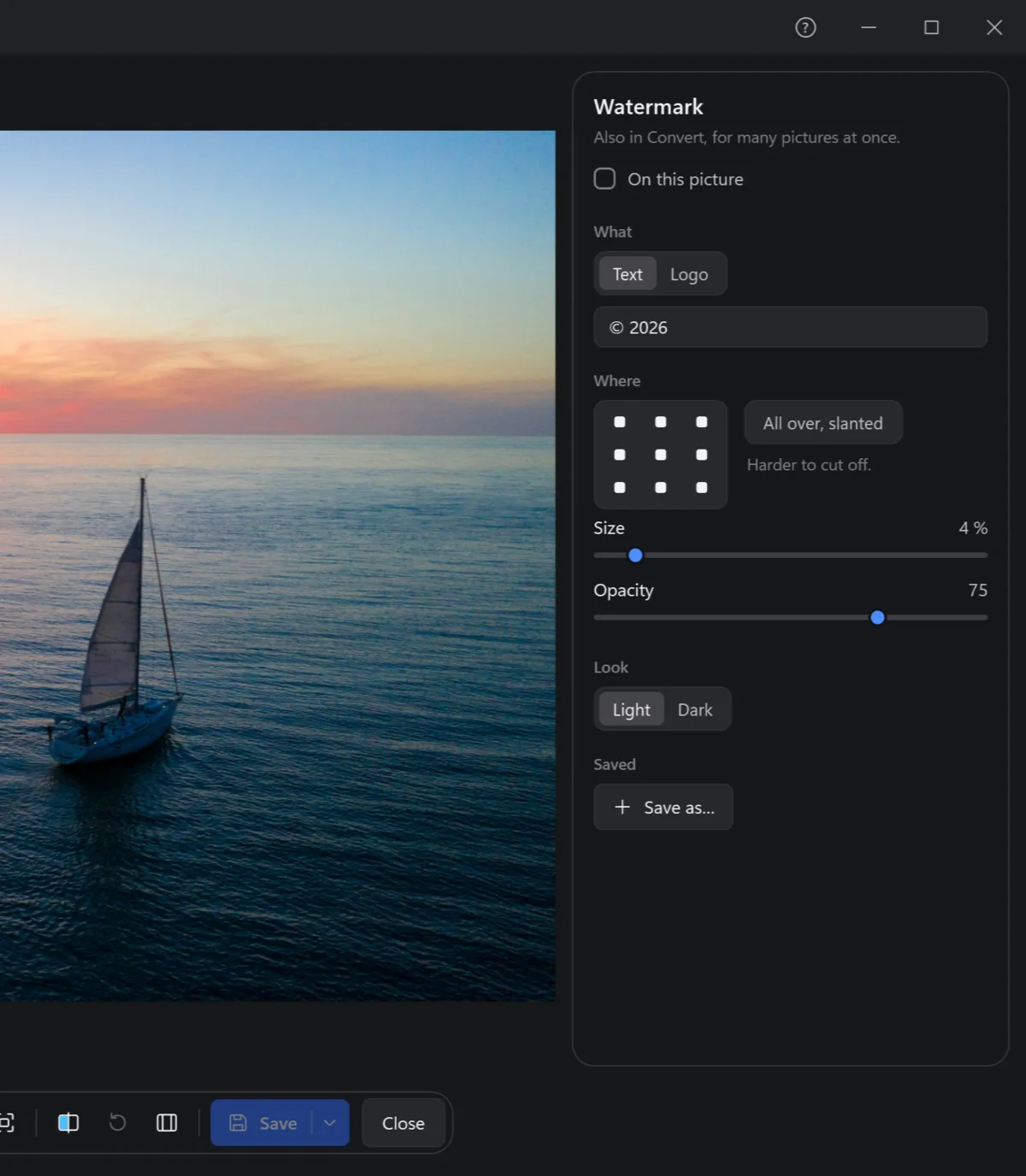
W, and tick On this picture.
- What: a text —
© 2026and your name — or a logo, a picture file (a PNG with a see-through background is best). The logo is kept in Cobalt Photo, so moving its file later is fine. - Where: any of nine places, or All over, slanted — repeated across the photo, harder to cut off.
- Size and opacity; look: light, for dark photos, or dark, for light ones.
- Save as… keeps it under Saved: one click puts it on the next photo — and Convert offers it too, to sign hundreds at once.
Frames
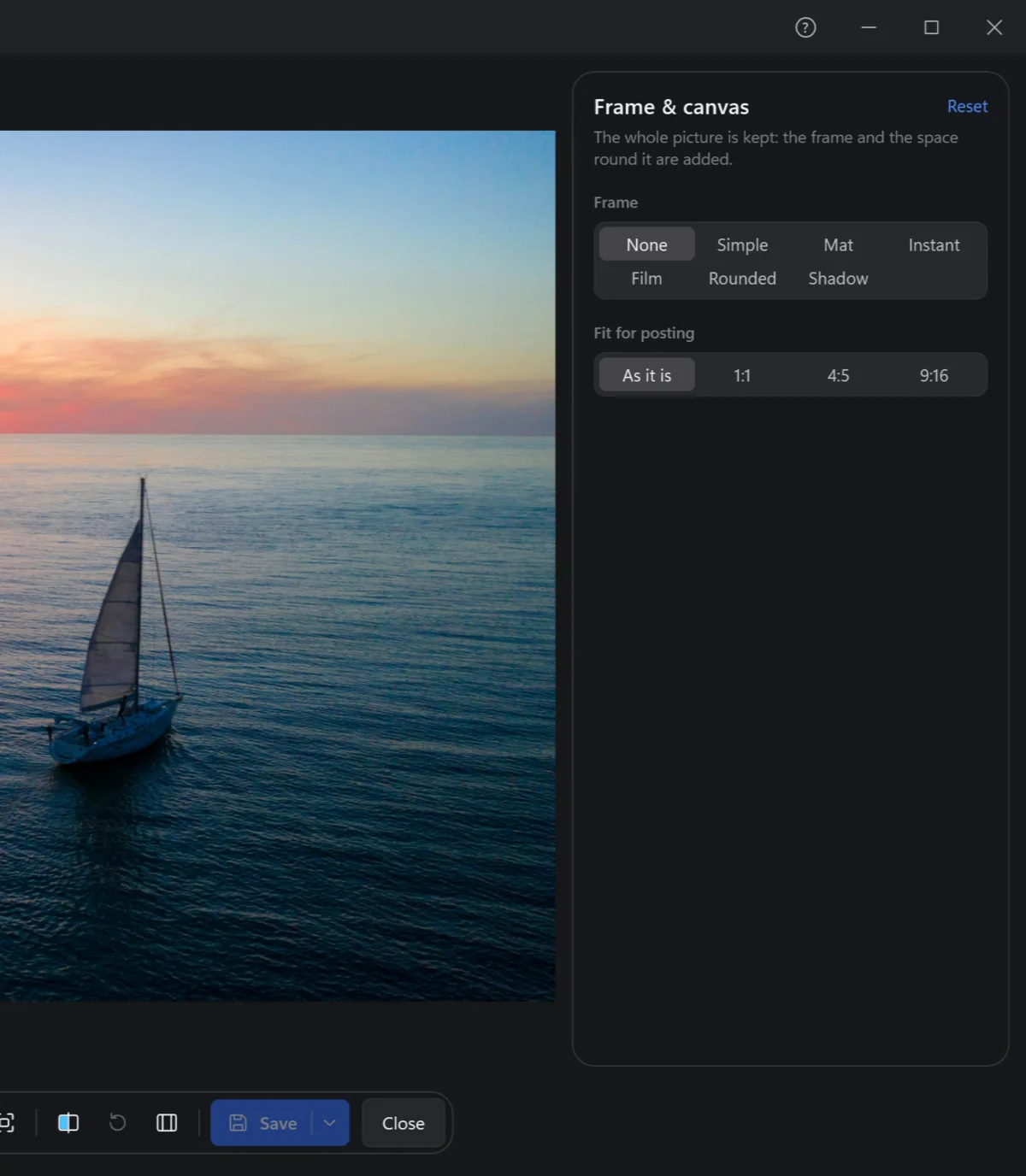
F. The whole photo is kept: the frame and the space round it are added.
| Frame | |
|---|---|
| Simple | A border of a colour. |
| Mat | A wide border, as in a picture frame. |
| Instant | The white border of an instant photo, wider at the bottom. |
| Film | A strip of film round it. |
| Rounded | Round corners; how round, as you like. |
| Shadow | The photo lifted off the page by a soft shadow. |
Fit for posting puts the photo — whole — into the shape a feed wants: 1:1, 4:5 or 9:16, the space around it filled with the picture blurred, or a colour. Nothing is cropped away.