Light, colour and detail
Two panels hold what most photos need: Light for how bright and how contrasty, Colour for how warm, how vivid, and how sharp.
In the app: ? in the editor, or F1, opens this page while Light or Colour is open.
Light
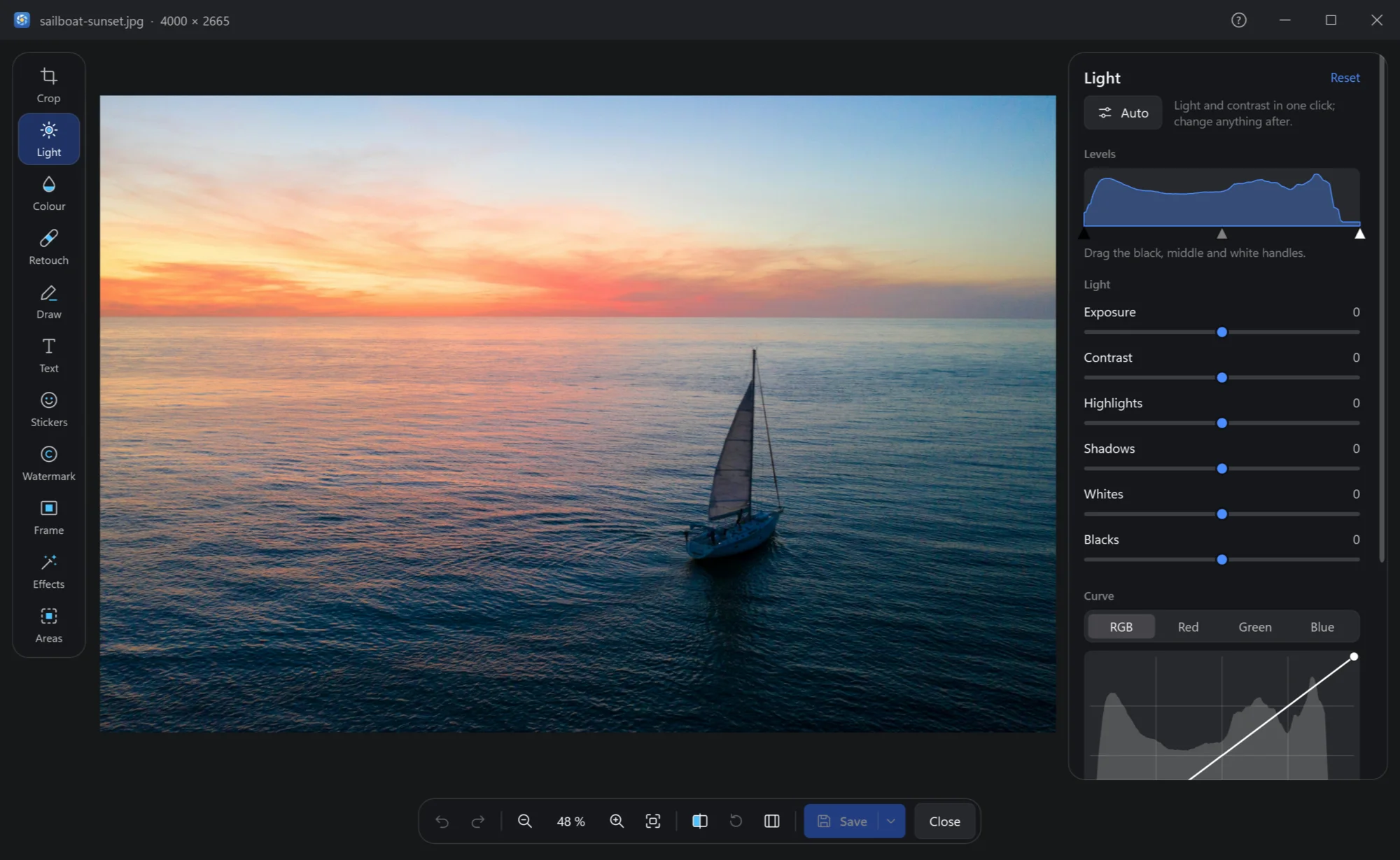
| Control | What it does |
|---|---|
| Auto | Light and contrast in one click; change anything after. |
| Levels | The photo's histogram, with three handles: drag the black one to where the darkest tones begin, the white one to where the lightest end, the middle one to make the middle tones lighter or darker. |
| Exposure | The whole photo lighter or darker, as a longer or shorter shot would be. |
| Contrast | Darks darker and lights lighter, or the other way. |
| Highlights, Shadows | Only the bright parts — a sky — or only the dark ones — a face against the light. |
| Whites, Blacks | Where white and black begin: the last touch for punch. |
| Curve | The tones as a line, for all channels or red, green, blue alone: click the line to add a point and drag it; a double click on a point, or dragging it out, takes it off; a double click on nothing straightens the curve. |
| Vignette | The corners darker or lighter: amount and size. |
Each slider shows its value; a double click sets it back to 0. Reset at the panel's top puts all of Light back.
Colour
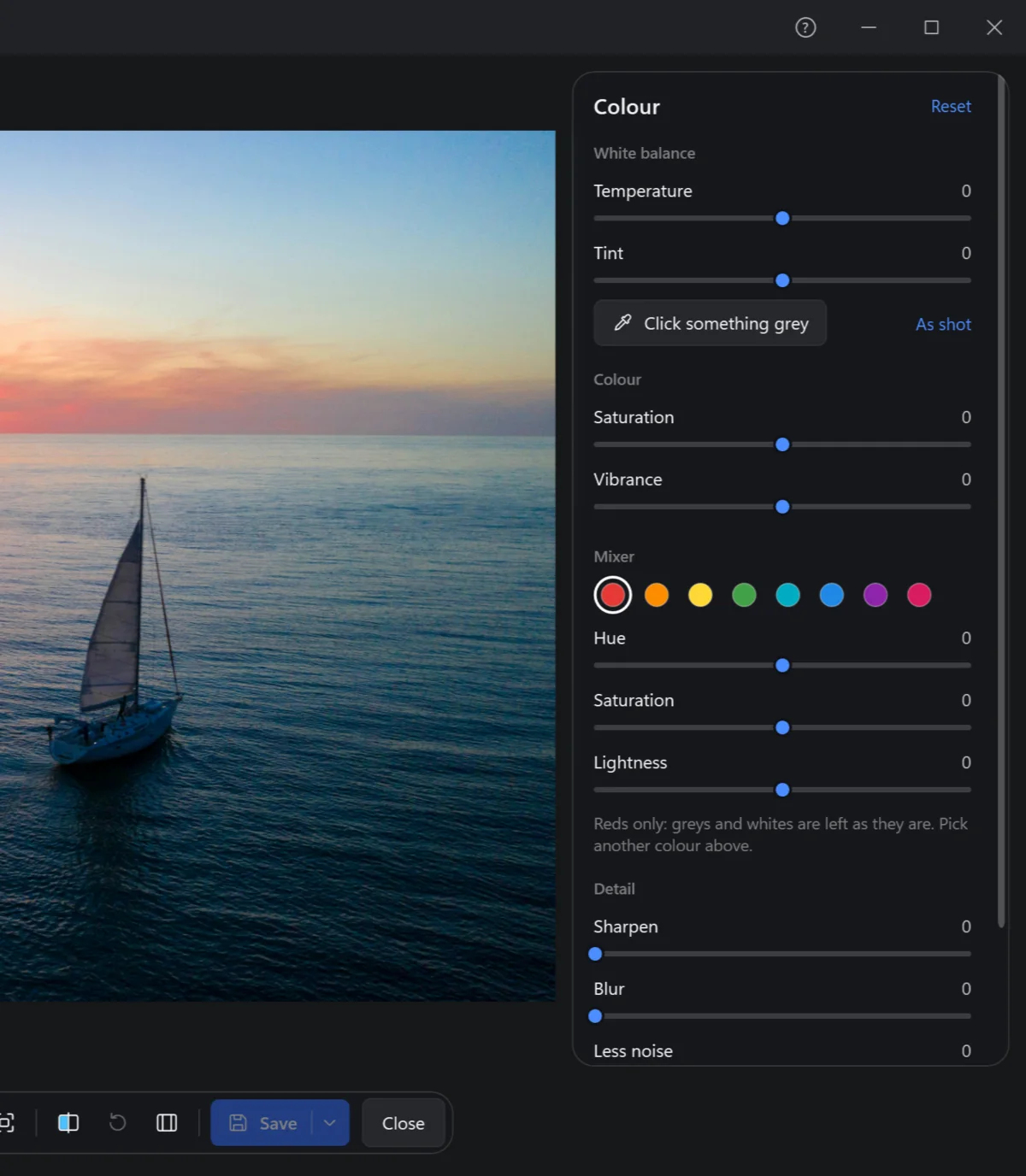
| Control | What it does |
|---|---|
| Temperature, Tint | White balance: warmer or cooler, greener or more magenta. |
| Click something grey | Then click on the photo something that should be grey or white — a wall, a cloud: the colour cast is gone. As shot goes back to the camera's. |
| Saturation | Every colour stronger or weaker; all the way down is black and white. |
| Vibrance | The dull colours stronger and the strong ones much less, so nothing turns garish. |
| Mixer | One colour at a time — reds, oranges, yellows, greens, aquas, blues, purples, magentas — its hue, saturation and lightness: a bluer sky, greener grass, without touching the rest. Greys and whites are left as they are. |
| Sharpen, Blur | Edges crisper, or softer. |
| Less noise | Takes off the colour speckles of a photo at night or at a high ISO — a simple one, without AI: speckles, not miracles. |
| Grain | Film-like grain. |