Find duplicates
The same photo in three folders, a smaller copy from a mail, a JPG saved from a HEIC, twelve shots of one sunset: found across all your folders, with the best one of each kept for you.
In the manager: ☰ → Find duplicates…, Ctrl+Shift+D, or right-click a folder → Find duplicates… to start there.
What to look for, and where
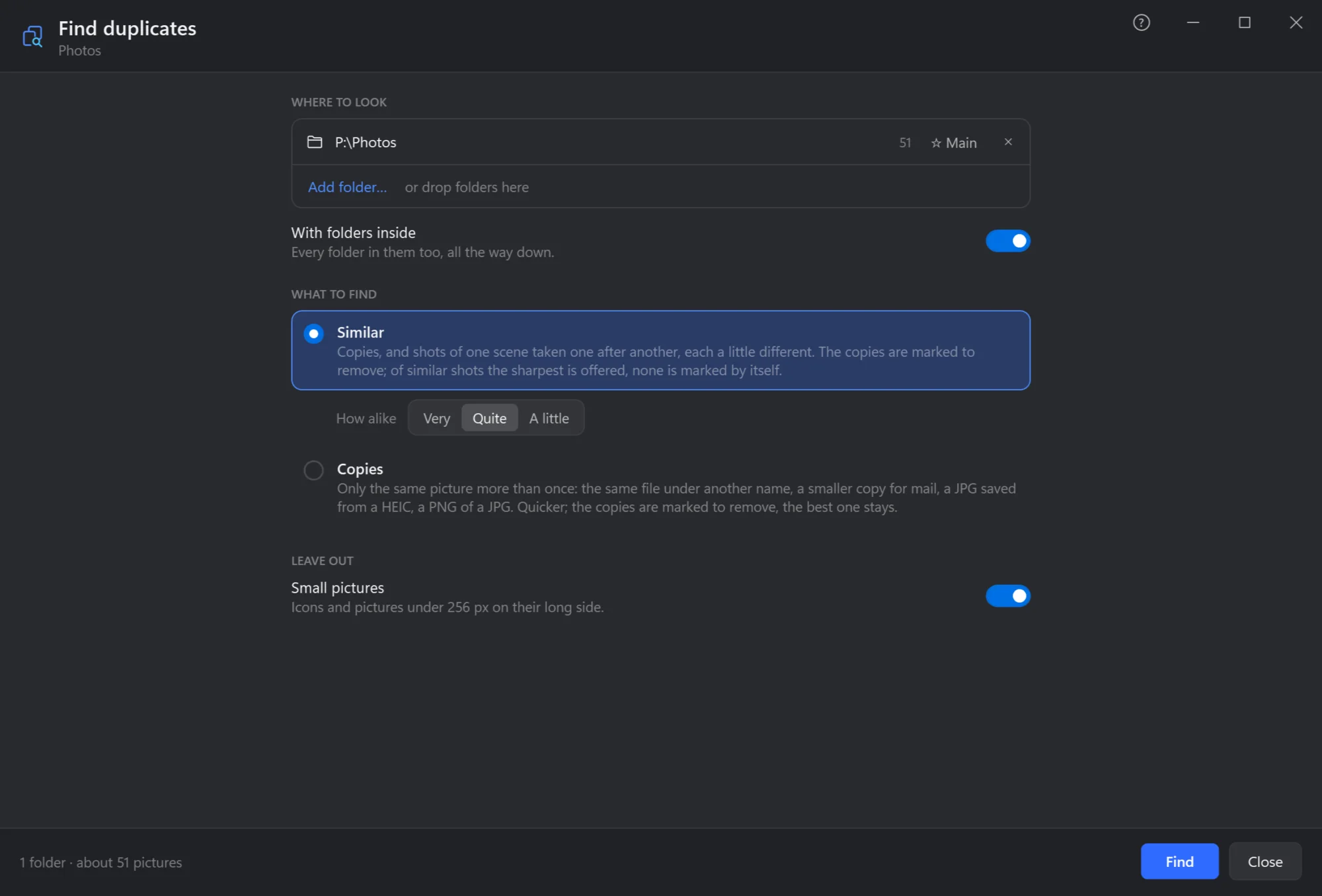
- Where to look. One folder or several — Add folder…, or drop folders here — with how many pictures each has. Mark one as ★ Main: of two copies, the one in it is kept.
- With folders inside. Every folder in them too, all the way down.
- Similar. Copies, and shots of one scene taken one after another, each a little different — how alike: very, quite or a little. The copies are marked to remove; of similar shots the sharpest is offered, none is marked by itself.
- Copies. Only the same picture more than once: under another name, smaller, in another format. Quicker.
- Leave out small pictures. Icons and pictures under 256 pixels on their long side.
- Find. Pictures already read are not read again, so the second time is quick.
What it found
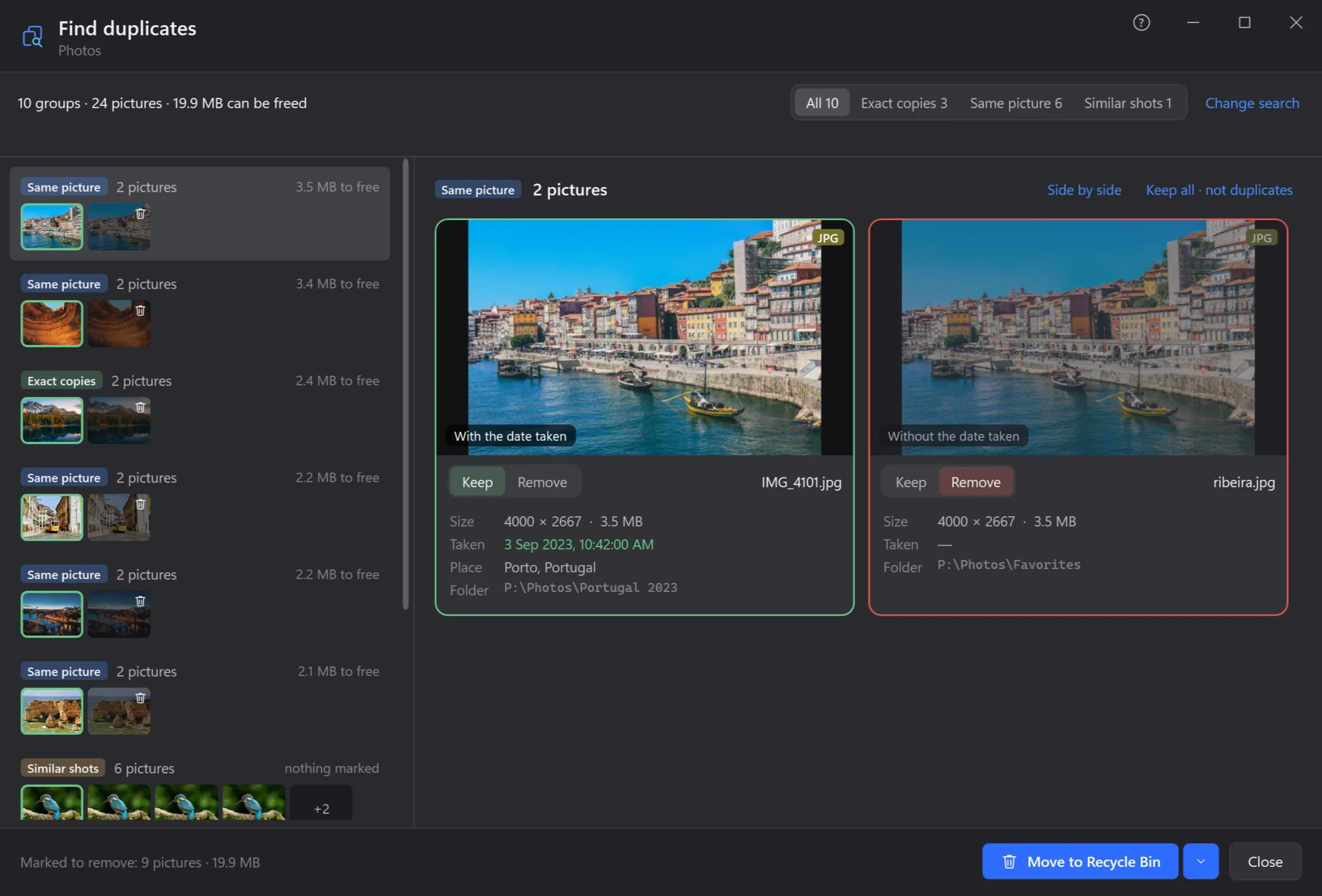
- In all. How many groups, how many pictures, and how much space can be freed.
- Kinds. Exact copies (the same file), Same picture (another size, format or quality), Similar shots — each with how many.
- The groups. Each with its pictures, the ones to remove crossed, and how much it frees.
- The group, card by card. Each picture with its size, date taken, place and folder, and why it is kept or not — With the date taken, Largest, Smaller copy, Without the date taken. Click Keep or Remove to change it; Keep all · not duplicates leaves the group alone, now and next time.
- Move to Recycle Bin what is marked — or, by its arrow, Move to folder…
Side by side shows the group's pictures next to each other: Z or a click brings all of them close up at that spot, the wheel zooms, dragging moves them together — the way to see which shot of a series is sharpest. Esc goes back to the cards.
Which one is kept
Of the same picture, the one kept is decided in this order: the one in your ★ Main folder, the largest, the one with the date taken, the better format, the original name, the least compressed, the oldest. The card says which reason decided. Of similar shots none is marked by itself: the sharpest is offered, and the choice is yours.