Cull
Three hundred shots from one day: keep the good ones, drop the misses. One key per photo, the next comes at once, and the marks are written into the files as you go.
このページはまだ翻訳されていないため、英語で表示しています。
In the manager: right-click → More → Cull (from here, or the chosen ones), ☰ → Cull pictures…, or right-click a folder → Cull pictures…. Shots taken within a second of each other become a burst.
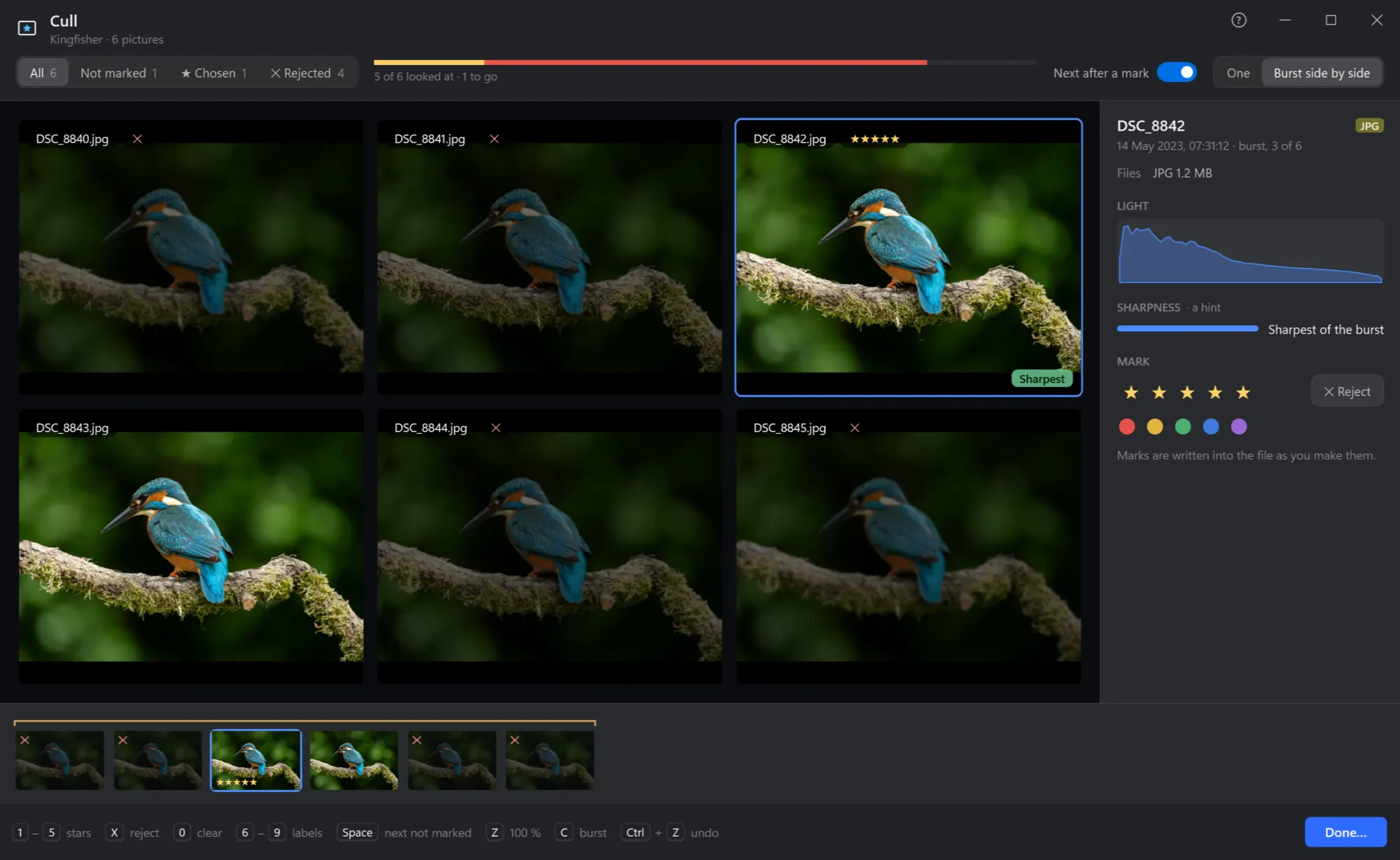
The Cull window

- Which ones. All, not marked yet, chosen, rejected — with how many.
- How far. How many looked at and how many to go; yellow for the chosen, red for the rejected.
- Next after a mark. On: a key that marks goes on to the next shot by itself.
- One shot at a time, or the burst side by side. C
- The shot. Z or a click: 100 % where you point, to see if the eyes are sharp; again for the whole shot.
- Light and sharpness. Its histogram, and how sharp it is next to the others of its burst — Sharpest of the burst is a hint, not a verdict.
- Mark. Stars, Reject and the colour labels; written into the file as you make them.
- The strip. Every shot, the bursts held together, its marks on each.
- The keys, always in view — and Done… at the end.
Keys
| Keys | What they do |
|---|---|
| 1 … 5 | Stars, and on to the next shot (as chosen) |
| X | Rejected, or not any more |
| 0 | No stars, not rejected, no label |
| 6 … 9 | Colour labels |
| ← → Home End | The shot before or after, the first or last |
| Space | The next shot not marked |
| Z | 100 % where the pointer is, or the whole shot again |
| C | The burst side by side, or one shot |
| Ctrl+Z | Undo the last mark |
| Esc | Back from 100 %, or close — the marks are kept |
Done
Done… counts the chosen, the rejected and the not marked, and takes care of them. The rejected: moved into a folder _Rejected beside them (out of the way, nothing deleted — look through it later, or delete the folder in one go), moved to the Recycle Bin, or left where they are, only marked. The chosen: straight into Convert if you like — RAW shots into JPEGs in a folder beside them. A RAW shot's JPEG and .xmp always go with it.
Closing without Done keeps every mark in the files, so you can go on another day — or find them in the manager with rating:>=1.