Light, colour and detail
Two panels hold what most photos need: Light for how bright and how contrasty, Colour for how warm, how vivid, and how sharp.
Diese Seite ist noch nicht übersetzt und wird daher auf Englisch angezeigt.
In der App: ? in the editor, or F1, opens this page while Light or Colour is open.
Light
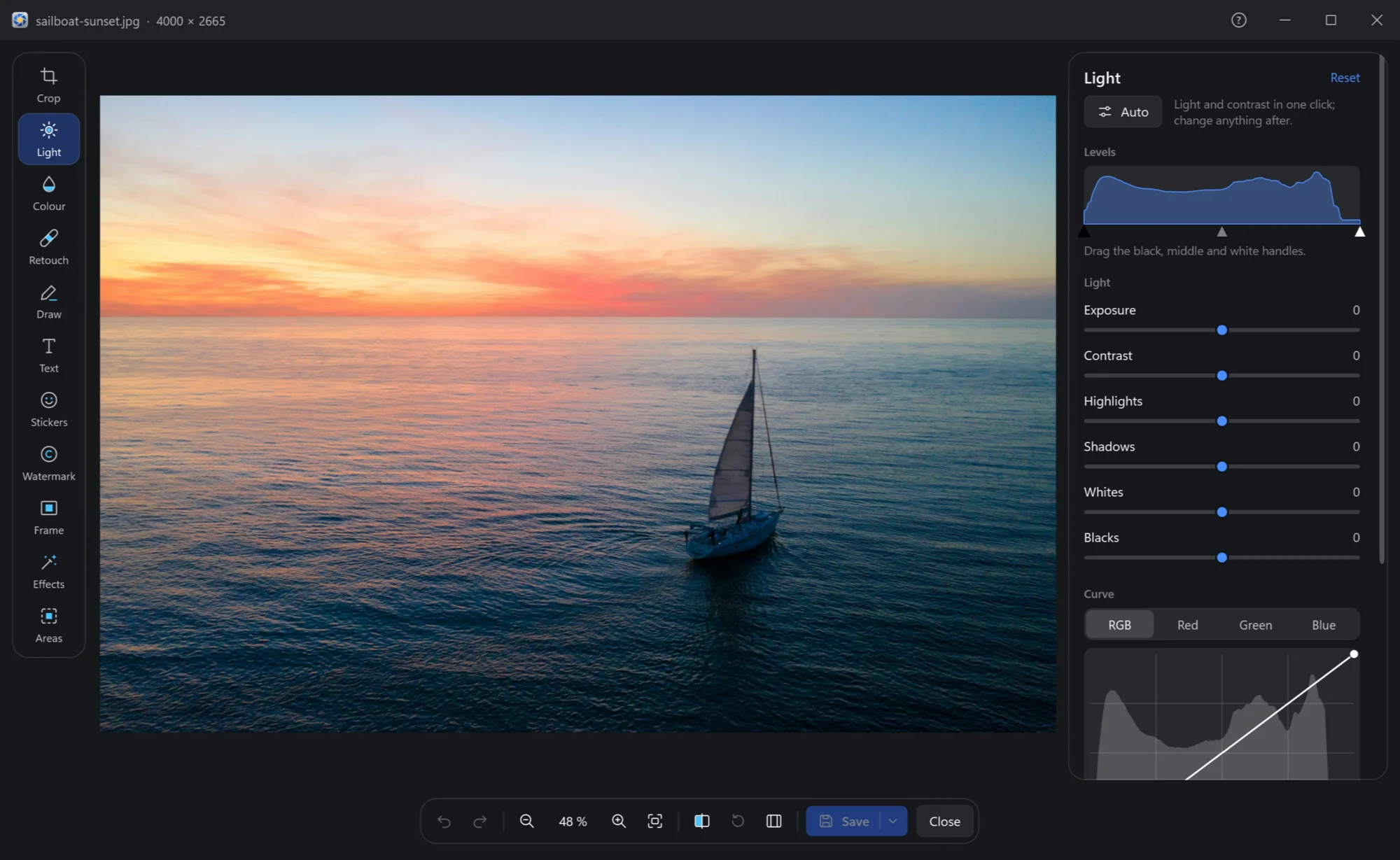
| Control | What it does |
|---|---|
| Auto | Light and contrast in one click; change anything after. |
| Levels | The photo's histogram, with three handles: drag the black one to where the darkest tones begin, the white one to where the lightest end, the middle one to make the middle tones lighter or darker. |
| Exposure | The whole photo lighter or darker, as a longer or shorter shot would be. |
| Contrast | Darks darker and lights lighter, or the other way. |
| Highlights, Shadows | Only the bright parts — a sky — or only the dark ones — a face against the light. |
| Whites, Blacks | Where white and black begin: the last touch for punch. |
| Curve | The tones as a line, for all channels or red, green, blue alone: click the line to add a point and drag it; a double click on a point, or dragging it out, takes it off; a double click on nothing straightens the curve. |
| Vignette | The corners darker or lighter: amount and size. |
Each slider shows its value; a double click sets it back to 0. Reset at the panel's top puts all of Light back.
Colour
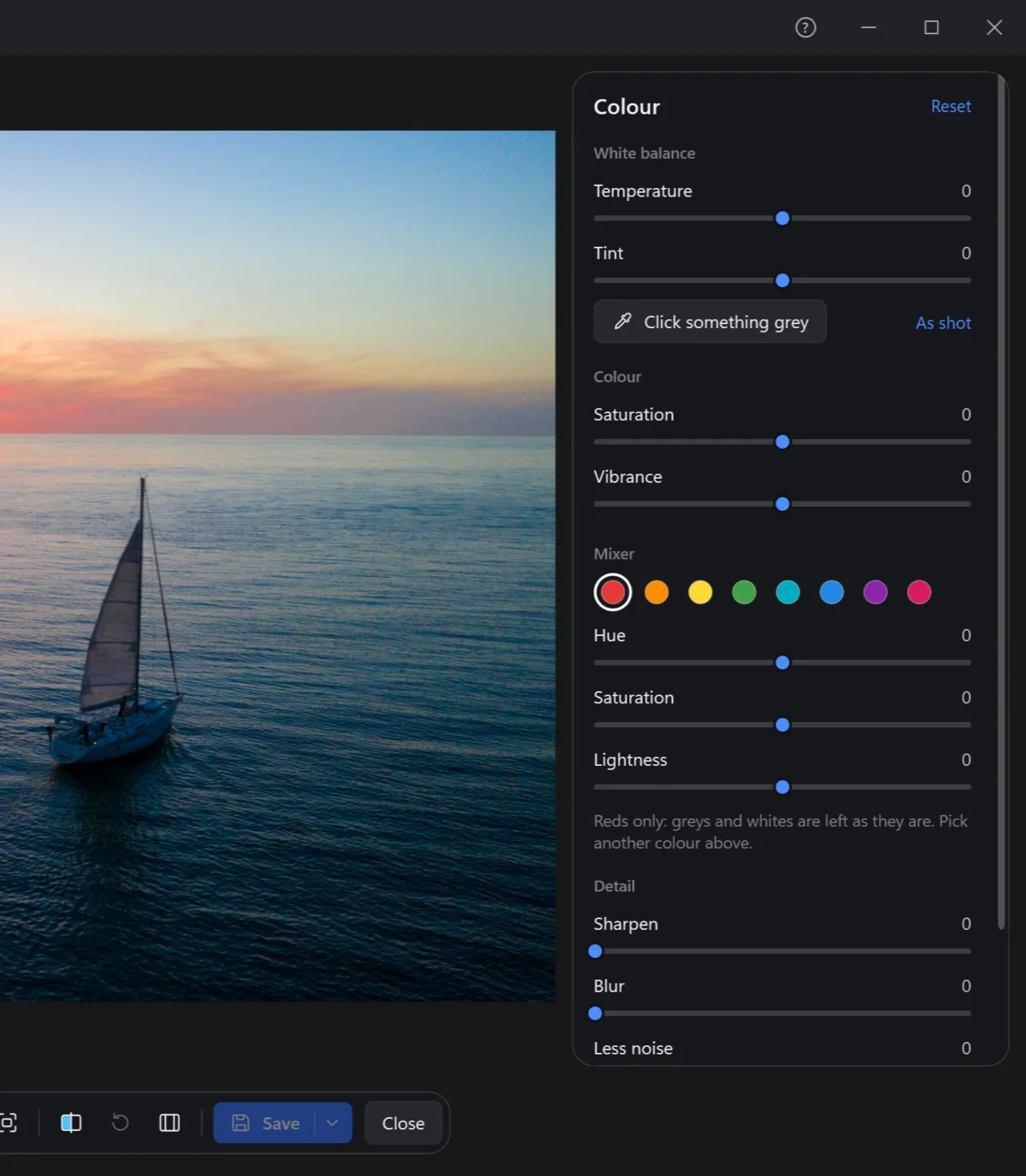
| Control | What it does |
|---|---|
| Temperature, Tint | White balance: warmer or cooler, greener or more magenta. |
| Click something grey | Then click on the photo something that should be grey or white — a wall, a cloud: the colour cast is gone. As shot goes back to the camera's. |
| Saturation | Every colour stronger or weaker; all the way down is black and white. |
| Vibrance | The dull colours stronger and the strong ones much less, so nothing turns garish. |
| Mixer | One colour at a time — reds, oranges, yellows, greens, aquas, blues, purples, magentas — its hue, saturation and lightness: a bluer sky, greener grass, without touching the rest. Greys and whites are left as they are. |
| Sharpen, Blur | Edges crisper, or softer. |
| Less noise | Takes off the colour speckles of a photo at night or at a high ISO — a simple one, without AI: speckles, not miracles. |
| Grain | Film-like grain. |